
The Lead Map: Every FFL, Your Own Leads, and Calling with Twilio or Telnyx
See every licensee on ATF’s list on one map, colored by what your team has done with each one, and call them from your browser. The Lead Map, under Call Center > Lead Map in the APB360 portal, puts FFLs, your own leads and this week’s calls and visits in one view. Calls go out through your organization’s own Twilio or Telnyx account, and every call is logged on the lead’s record and on the map.
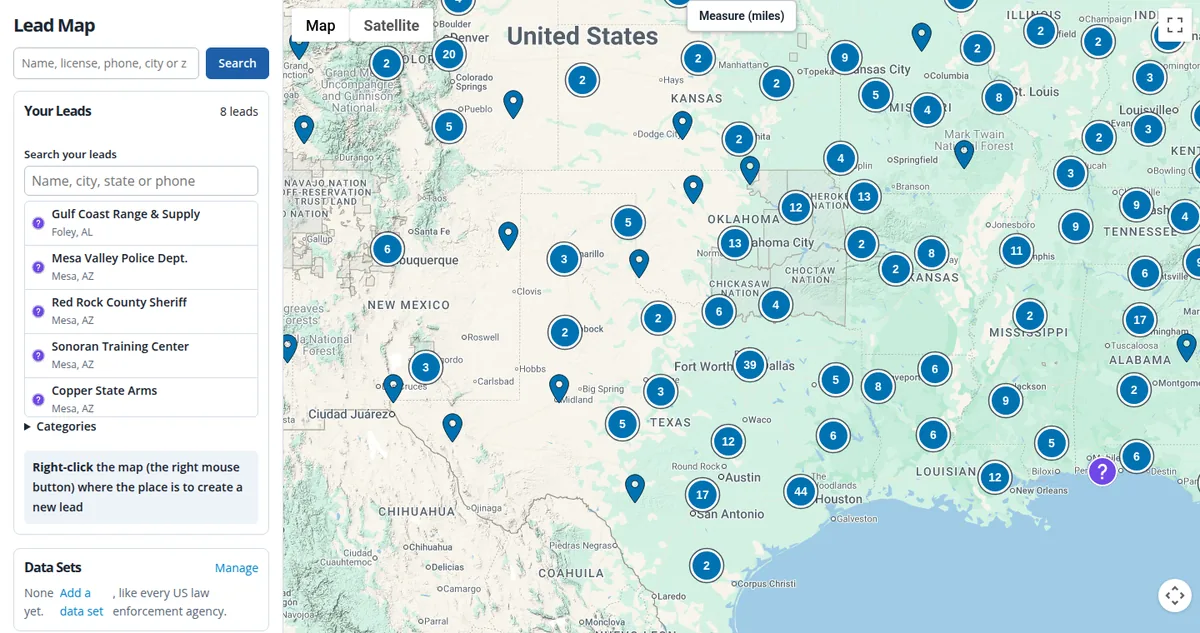
The Map
- Every FFL from ATF’s list. Choose a data set (New FOIA by default, Updated FOIA, Priority FOIA or Complete), then narrow by state and FFL type. More filters cover record status, custom list, release, expiration month, address type, assigned operator, days since update, recent deals, deal value and NSSF known ranges. Export the current filters to CSV.
- Colored by your own work. Each pin shows what your organization has done with that FFL: Cold, Opened, Called, Noted, Customer or Do Not Call, with a count for each. Buttons switch between All, Cold, Warm and Customers.
- Private to your organization. Other organizations’ work never changes your colors, and nobody else sees your notes, calls, sales or leads.
- Fast at any size. The map loads only what is in view and groups pins into counted clusters when zoomed out, so even the Complete data set opens at once. On production, the default load went from 3.0 seconds to 0.27 seconds.
- Search as you type. Find an FFL by name, city, state, ZIP, full license number or the end of a license number, with up to 25 matches. Press Search to widen it and include places from Google, each marked Already a lead, Already an FFL or Add New Lead.
- Measure in miles. Draw a straight line between two points and drag either end.
Your Own Leads and Data Sets
- Leads that are not FFLs. A police department, a range, any place you sell to. Right-click the map to add one; the address and phone number fill in from Google. Pick a category with its own icon and color, and markers with the same icon cluster together.
- Your Leads is a short A–Z list you can search. Choose a lead to zoom straight to it.
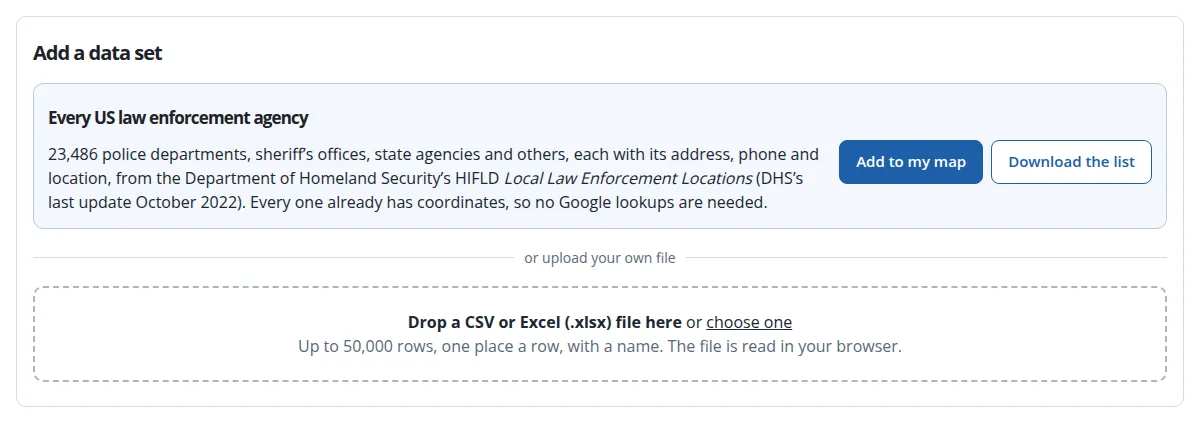
- Every US law enforcement agency, in one click. Add 23,486 police departments, sheriff’s offices, state agencies and others, each with address, phone and location, from DHS’s HIFLD Local Law Enforcement Locations. It is a US government data set last updated in October 2022, so verify a number before relying on it.
- Upload your own. Master level users can add a CSV or Excel file of up to 50,000 places as a new layer with its own icon. Map your columns (name, type, address, city, state, ZIP, phone, email, website, latitude and longitude); extra columns are kept on each place’s card. Places without coordinates are located with your organization’s own Google key, which is stored encrypted with only its last four characters shown, and Google bills those lookups to you.
- Large files, no restarts. Imports run in chunks with a progress bar and can be continued if interrupted. Hide, show or delete a data set at any time; leads opened from it are kept.
Calls on the Map
This week’s calls (red) and visits (green) show on the map for seven days and refresh every 30 seconds. Each has a ring that starts 100 miles across and shrinks over the week, so the biggest rings are the newest. Calls placed from a lead’s record page with Twilio or Telnyx appear there too, so a sales manager can see where the team has been working at a glance.
Everything on the Lead’s Record
Every FFL and every place on a data set can be opened as a lead. Its record page holds:
- Notes and an activity timeline, owners, contacts and files.
- Follow-ups with email reminders 5 to 60 minutes before.
- Sales, which make the lead a Customer, and Do Not Call.
- An ATF license check for FFLs.
- Good Time to Call? The lead’s local time and weather, with advice when it is outside 8 a.m. to 9 p.m. there or storms are in the area.
- Area census estimates within 1, 3, 5 and 10 miles.
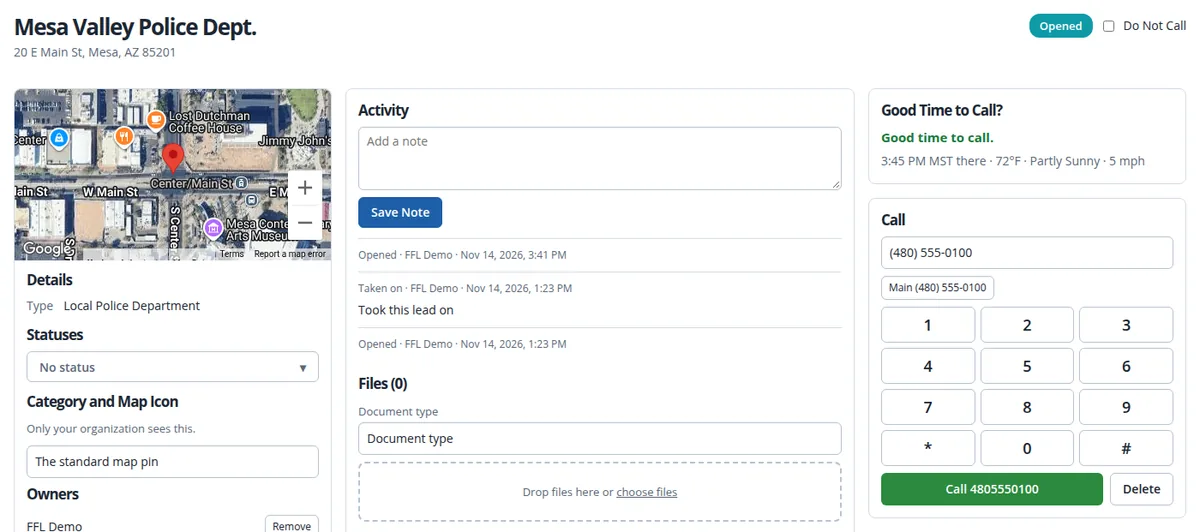
Call from the Record, with Twilio or Telnyx
Each organization calls through its own Twilio or Telnyx account. APB360 does not bill for calling; your provider bills you directly. With either provider:
- Call in the browser from your organization’s number, with mute, hang up and keypad tones.
- Every call is logged on the record’s activity, such as “lasted 2m 5s”, busy or no answer, and on the Lead Map.
- Record every call if you choose to.
- Text a geofence contact from a record (with Telnyx, when your number can send texts).
- Works from a phone. Use Chrome or Safari on iPhone or Android, allow the microphone, and keep the screen on during the call. US and Canadian 10-digit numbers are supported.
Twilio: recordings are listed on Call Center Recordings, with ratings. Telnyx: calls run over WebRTC in the browser with your Telnyx number as caller ID; recordings stay in your Telnyx account and are listed on Call Center Recordings by date range, with Play.
Switching is one choice. Choose Use this provider and you are done. The other provider’s settings stay saved, so switching back is one click.
Getting Set Up
Master level users connect a provider under Settings > Phone calls (Twilio or Telnyx). Telnyx needs only an API key, a Credential Connection id and a number, and Test connection checks all three. The key is stored sealed and never shown again, only its last characters, and the browser receives short-lived login tokens, never a SIP password.
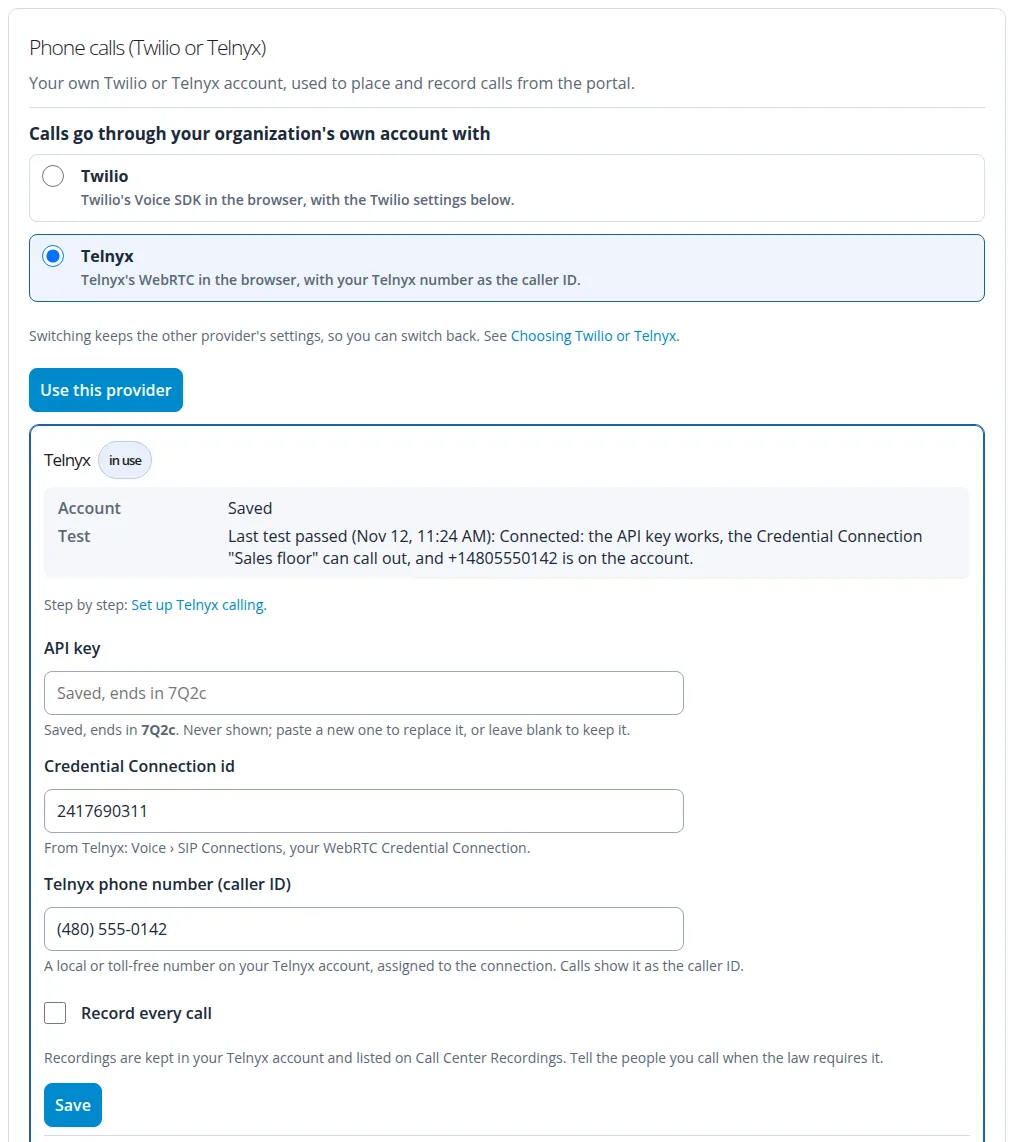
Step-by-step articles are in the portal’s Help center: Set up Twilio calling, Set up Telnyx calling and Choosing Twilio or Telnyx. To get set up or to schedule training for your team, email help@apb360.com or call 251-677-7978.
More on the data behind the map: October 2026 FFL listings processed, the FFL Landscape Report, and the full APB360 platform.