
The Inventory Checklist, Rebuilt: Count Faster, Mark Present in One Tap
Counting the armory is now one page that keeps up with you. The Inventory Checklist has been rebuilt from the ground up. Choose what to count, then mark each asset present as you find it: the list, the totals and the progress bar update as you go, with no page reloads and no separate form to clear last month’s count.
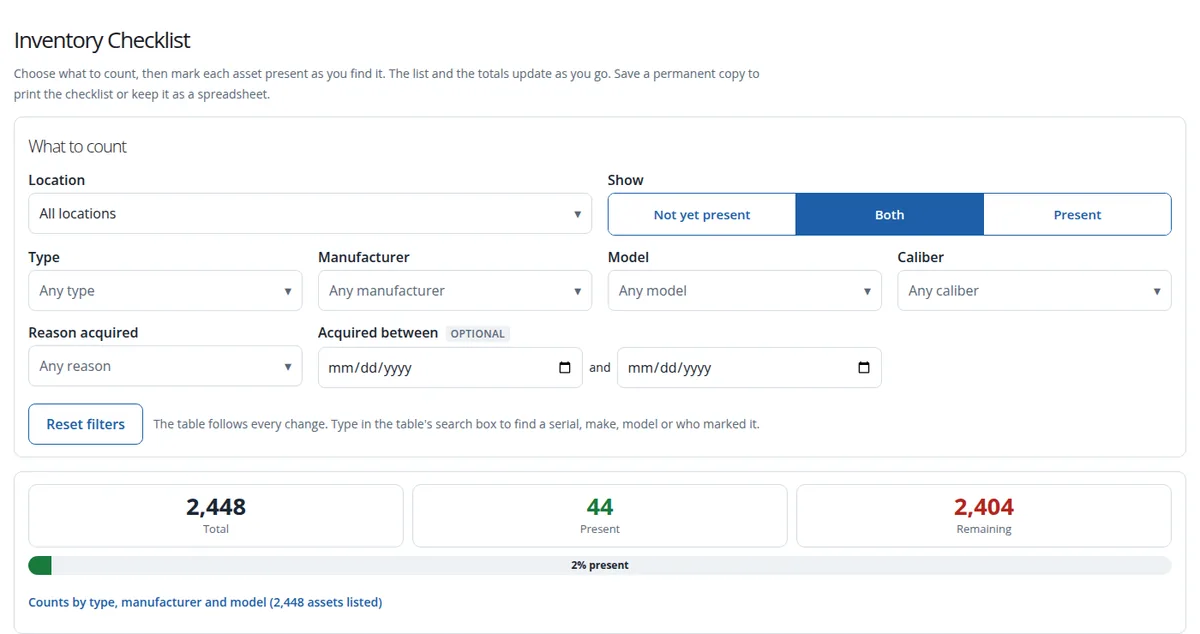
Count Exactly What You Need
- Filters that answer as you change them. Narrow the count by location (anywhere in your location tree), type, manufacturer, model, caliber, reason acquired and the dates assets were acquired. The table reloads the moment a filter changes, and Reset filters starts over.
- Show what is left. Switch between Not yet present, Present or Both, so the list can shrink to just the assets still to find.
- Search the list. Type a serial number, make, model or the name of whoever marked it.
Mark Present in One Tap
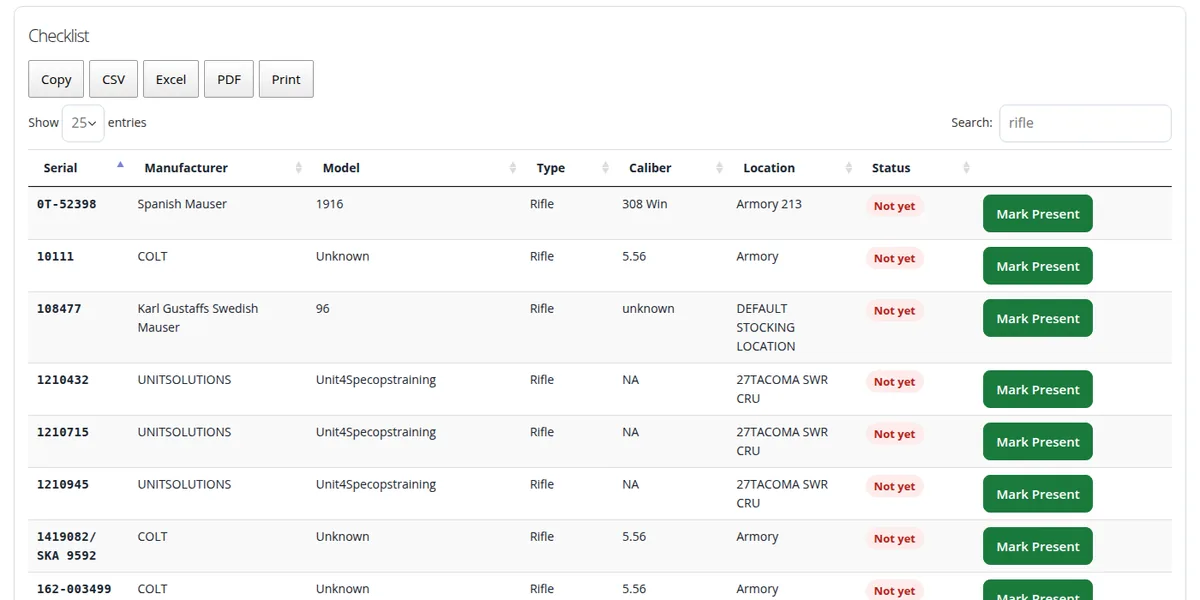
- Mark Present on every row, saved the moment you press it. The row shows who marked it and when, and Clear undoes a mistake.
- One count, however you do it. Marks made here and marks made by scanning in the Inventory Auditing Interface are the same marks, so a team can scan one shelf while someone works the list at another.
- Totals that keep score. Total, present and remaining at the top, a progress bar, and counts by type, manufacturer and model.
- Built for big inventories. The list pages and searches on the server, so it stays fast with tens of thousands of assets, and exports to Copy, CSV, Excel, PDF or Print.
Start a New Count, One Location at a Time
Choose a location and use Clear all inventory checks to start a fresh count there. The page first shows how many marks will be cleared and asks you to confirm, then gives you a receipt. Clearing works on one location only, never the whole organization by accident, and every old mark is kept in the audit log, so last quarter’s count is never lost. This replaces the separate Clear Inventory Checks form.
A Permanent Copy for the File
Save a permanent copy keeps the checklist, exactly as filtered and searched, in your organization’s files: a printable page with a QR code for each asset, and a spreadsheet (CSV). Print it for a walk-through, or keep it as the record of a completed count.
Count From Your Phone
The checklist fits a phone, so the person walking the shelves can filter, search and mark present without going back to a desk.
Who Can Use It
Master and compliance users. Everyone sees only their own organization’s assets, only the locations they are allowed to see and, where an administrator has limited them to certain asset types, only those types. The Inventory Auditing Interface now follows the same asset type limit.
Open Create Inventory Checklist from the Electronic FFL Record Book in the APB360 portal. Related: the live inventory ledger and the Inventory Shop.
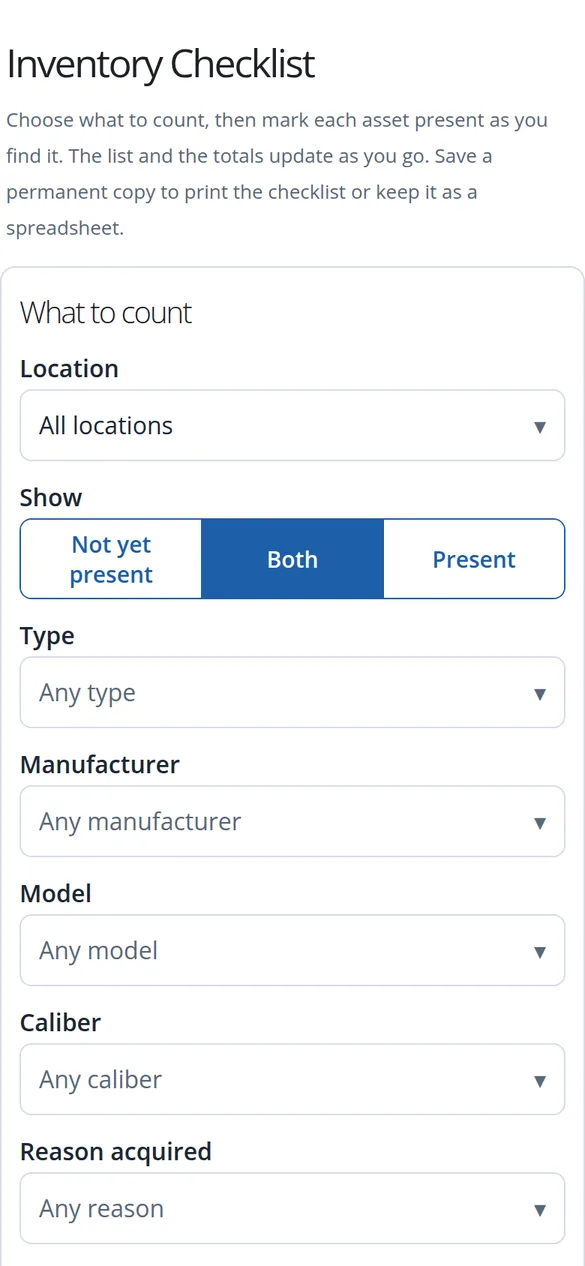
Questions or ideas? Email help@apb360.com or call 251-677-7978.