
New in BETA: Acquisition and Disposition Forms Built for Real-World Variety
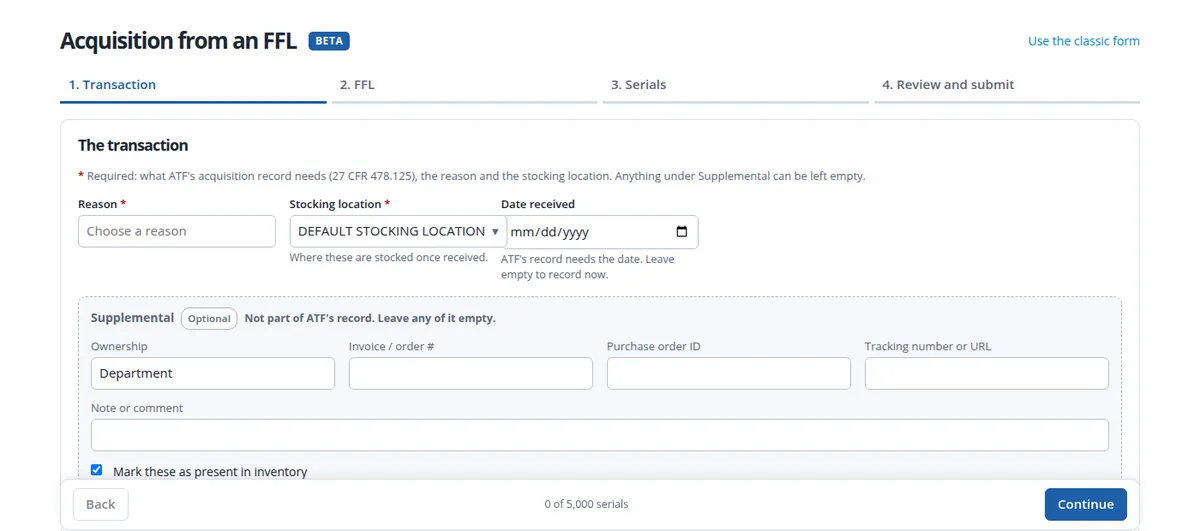
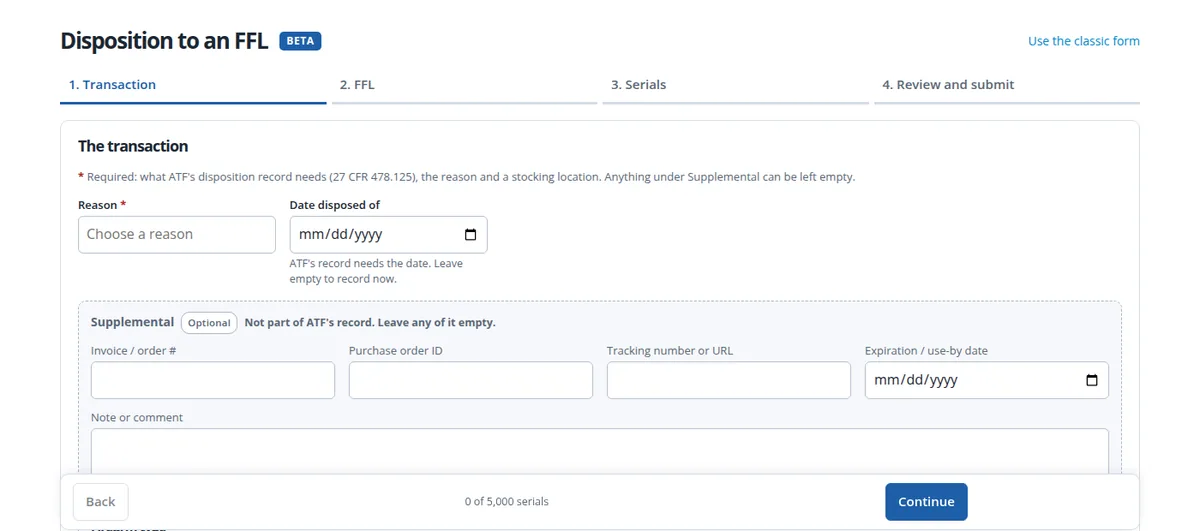
One submission, up to 5,000 serials, and every one of them can be different. The new BETA A&D forms record acquisitions From an FFL and dispositions To an FFL without forcing every serial in a shipment to look the same. Mixed makes, models, types and calibers, a type change on some serials, a repair ticket closed on others, documents tied to just the rows they belong to: it all goes in one guided submission, checked before anything is written.
Many Variations, One Submission
- Every serial its own record. Each serial carries its own manufacturer, model, type, caliber, length and details, including product name, part number, description and job number.
- Per-serial paperwork. On dispositions, give each serial its own invoice, purchase order, tracking number, note and expiration date, or set them once for the batch.
- Firearm type changes, for the whole batch or for one serial. For FFLs, a type change writes the disposition and matching acquisition under your own license, as 27 CFR 478 Subpart H expects, and keeps the asset’s value, expiration date and internal asset ID. For agencies, no logbook entries are needed, and the review screen tells you which applies.
- Close repair tickets for the serials going back, in the same submission.
- Documents in the same step. Upload invoices, transfer paperwork and NFA forms, with an NFA control number and dates, and link each file to every serial or only the rows it belongs to. Your FFL license and SOT on file are attached for you.
- Silencers, SBRs and short-barreled shotguns always record a length.
Checked Before Anything Is Written
- License checked live against ATF’s FFL eZ Check. An expired license needs a stated reason to go ahead.
- No duplicates. A serial is unique by manufacturer and model. A repeat is refused with a pointer to Add existing serials, and the same serial under another model gets a warning.
- Only what you actually have. Dispositions choose from your on-premises assets, by list, scan or paste. Serials that are scrapped, lost or stolen, in evidence, hidden or issued to an employee are refused, and a serial already on premises cannot be acquired twice.
- Built to finish. Records are written in small batches, so an interrupted submission resumes and never writes anything twice. A type change and its disposition succeed or fail together.
- Predictive dropdowns. Type words in any order and the list narrows, and a new reason can be added on the spot.
A Record of What You Approved
Every submission ends with a review and an approval box. The approval records who approved it, when, from where, how many serials and a fingerprint of exactly what was on screen. Dispositions email a receipt to you once the batch is complete, and every submission and upload is kept in the audit trail.
Who Can Use It
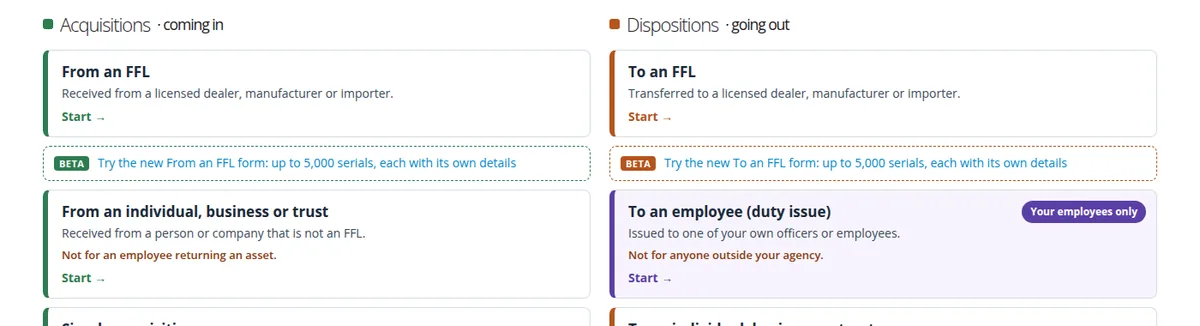
Master and compliance users. Open the A&D logbook hub and choose Try the new From an FFL form or Try the new To an FFL form. The classic forms are unchanged, and every BETA page links back to them.
Questions or ideas? Email help@apb360.com or call 251-677-7978.